When I first started looking into smart home technology, I was both excited and overwhelmed. The idea of controlling my lights, security, and even my thermostat with my phone or voice was incredibly appealing, but the sheer number of options out there made it hard to know where to begin. Plus, I didn’t want to break the bank or turn my home into something that felt more complicated than convenient.
But over time, I found that smart home tech for beginners doesn’t need to be complicated or expensive. By starting small and choosing the right devices, I was able to quickly turn my house into a smarter, more efficient, and secure space. Here’s how I did it—and how you can too!
Why Smart Home Tech? Why Now?
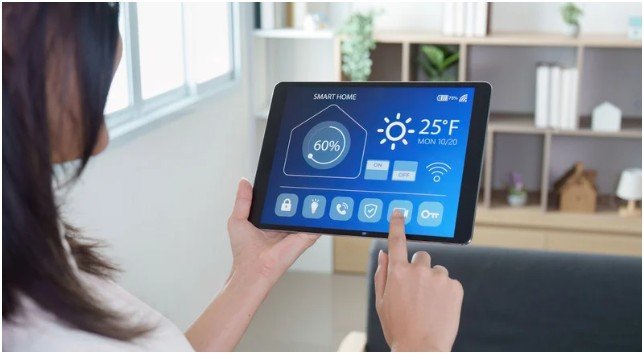
The convenience alone is enough to make anyone consider upgrading their home. From controlling your lighting with just a voice command to keeping an eye on your home while you’re away, smart devices make life easier. But it wasn’t just about convenience for me. I wanted to save on energy bills, improve my home’s security, and automate as much as possible.
Smart home tech is an investment in both comfort and efficiency. And honestly, it’s so much more affordable and user-friendly than I thought. If you’re just starting out, you don’t need to buy everything at once. Here’s what worked for me.
What Smart Devices Do I Need First?
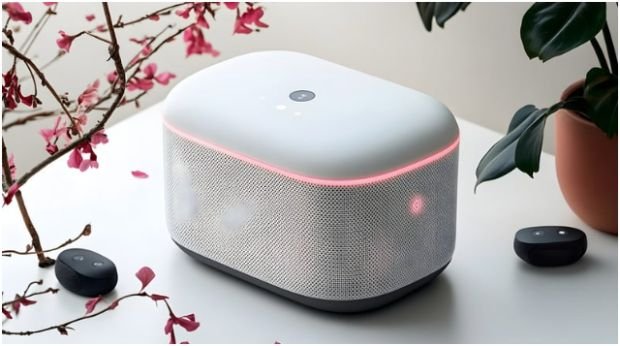
Pick Your Ecosystem (The “Brain”)
Before diving into devices, I had to choose a platform that would allow all my devices to work together. I wanted something simple, reliable, and compatible with a wide range of gadgets.
- Amazon Alexa: I opted for an Amazon Echo Dot, and I haven’t looked back. Alexa integrates with tons of devices and is a budget-friendly option to start with. It’s super easy to control everything from lighting to my smart plugs with just a voice command.
- Google Home: If you’re already deep into the Google ecosystem, Google Nest Audio is a fantastic choice. It syncs perfectly with my Google Calendar and makes setting reminders a breeze.
- Apple HomeKit: As a longtime iPhone user, I was drawn to Apple’s HomePod mini. It gives me the seamless privacy and integration I’m used to with my Apple devices.
For beginners, picking a platform that aligns with your current tech setup is key. Once I settled on Alexa, it made adding new devices so much easier.
Smart Home Devices That Will Actually Make a Difference
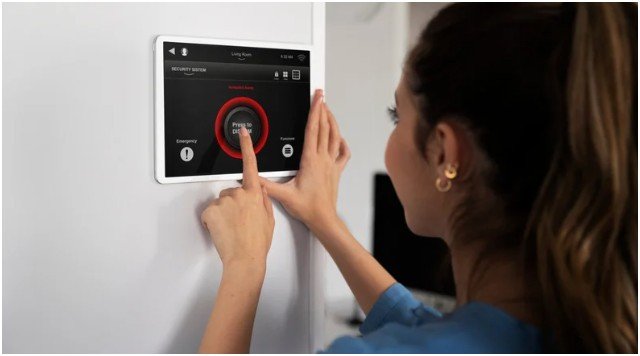
Now that I had my hub, it was time to start adding devices. Here are the first few I picked up, all of which gave me immediate results.
Smart Plugs & Power Strips: The Ultimate Energy Savers
I started with Kasa Smart Plugs because they were so easy to use. I simply plugged them into my regular appliances—like lamps and my coffee maker—and could control them with my phone. I love that I can turn everything off remotely, especially when I forget to switch something off before leaving the house.
Smart Plugs Tip: If you’re like me and prone to forgetting about “energy vampires” (devices that drain power while turned off), smart plugs are your best friend. I use them for things like lamps, space heaters, and even my TV. These gadgets are simple but effective!
Smart Thermostats: The Game-Changer for Energy Bills
My next step was a Google Nest Thermostat. Heating and cooling are a huge part of my utility bills, so investing in a smart thermostat was a no-brainer. The Nest automatically adjusts the temperature when I leave or come home, ensuring that I’m not wasting energy. I’ve saved a noticeable amount on my energy bill already, and that’s just after a few months.
Pro Tip: Look for thermostats that have geofencing features, like the Nest. They track your phone’s location and adjust the temperature based on whether you’re home or away, which makes it more energy-efficient.
Smart Lighting: Let There Be (Smart) Light
Next, I swapped out my old light bulbs for Philips Hue Smart Bulbs. I started simple with just a few in the living room, and now I have them all around the house. The ability to dim the lights or change colors with a voice command is as cool as it sounds. Plus, the energy savings are real. Smart LEDs use up to 90% less energy than traditional bulbs.
Smart Lighting Tip: Set up motion-sensing lights (like the ecobee Motion Sensor) in hallways or bathrooms so lights only turn on when someone’s actually in the room. It’s a small tweak that makes a big difference.
How to Build Your Smart Home Step-by-Step
- Pick Your Hub (Amazon Alexa, Google Home, or Apple HomeKit)
This is your foundation. Without a hub, your devices won’t be able to “talk” to each other. Once you have your hub, everything else will be easier to manage. - Start with Smart Plugs or Smart Bulbs
These are the easiest and most cost-effective devices to get started with. If you’re a total beginner, they’ll give you a huge sense of accomplishment without feeling overwhelmed. - Upgrade Your Thermostat
Heating and cooling are big energy wasters, and a smart thermostat can save you a lot of money. Make sure you choose one that’s compatible with your chosen hub. - Add Smart Security
Once you’ve got the basics down, it’s time to think about security. Devices like the Ring Video Doorbell or August Smart Lock give you peace of mind, allowing you to monitor and control your front door remotely. - Expand Over Time
You don’t have to do everything at once. Start with the basics and slowly add devices that match your lifestyle. Once you see how convenient it is to control everything with your voice or phone, you’ll want to keep adding more!
FAQ About Smart Home Tech for Beginners
1. Do I Need a Smart Hub for Every Device?
No, you only need one hub to connect your devices. Whether it’s Amazon Alexa, Google Home, or Apple HomeKit, your hub will control all the devices connected to it.
2. How Can I Save Money with Smart Home Devices?
Smart thermostats save on energy bills, and smart plugs help reduce “energy vampire” usage. By automating these systems, you can reduce waste and save significantly on utilities.
3. Can I Set Up My Smart Home by Myself?
Yes, setting up smart home devices is usually pretty simple. Most devices come with easy-to-follow instructions, and you can control everything through an app on your phone.
4. What Are the Best Smart Devices to Start With?
For beginners, I recommend starting with smart plugs, smart bulbs, and a smart thermostat. These devices offer the most value with minimal setup.
Smart Home Tech for Beginners: Take It One Step at a Time
Upgrading your home to a smart home doesn’t have to be stressful or expensive. By starting small and adding devices one at a time, you can create a home that’s not only smarter but also more energy-efficient and secure.
Remember, the best part of smart home tech is how it makes your life easier. Start with one device and build from there. You’ll be surprised at how quickly you get hooked!